Templates you own
Markup is a plain PHP file in your theme, resolved child-theme first. Helpers like gf_the_field() read the data; the HTML is yours.
GutenFields turns a group of fields into a real Gutenberg block. Define it in version-controlled PHP or an admin builder, edit it through one auto-generated UI, and render the front end with a theme template you own.
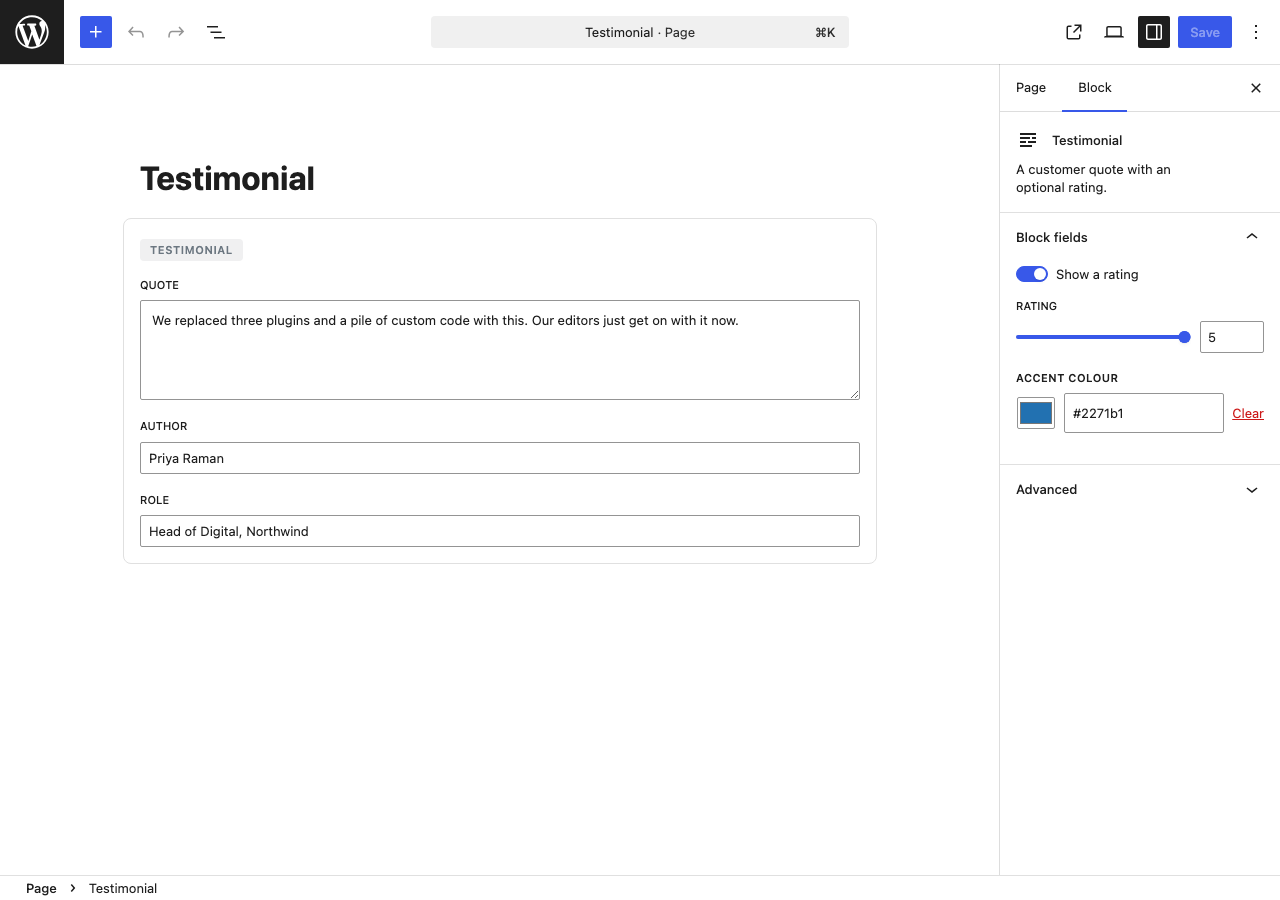
gutenfields_register_block([ 'name' => 'testimonial', 'title' => 'Testimonial', 'fields' => [ [ 'name'=>'quote', 'type'=>'textarea' ], [ 'name'=>'author', 'type'=>'text' ], [ 'name'=>'rating', 'type'=>'range' ], ],]);A field group is registered once and becomes a dynamic block. The editor is generated from the schema; the front end resolves to a template in your theme. Nothing hand-wired per block.
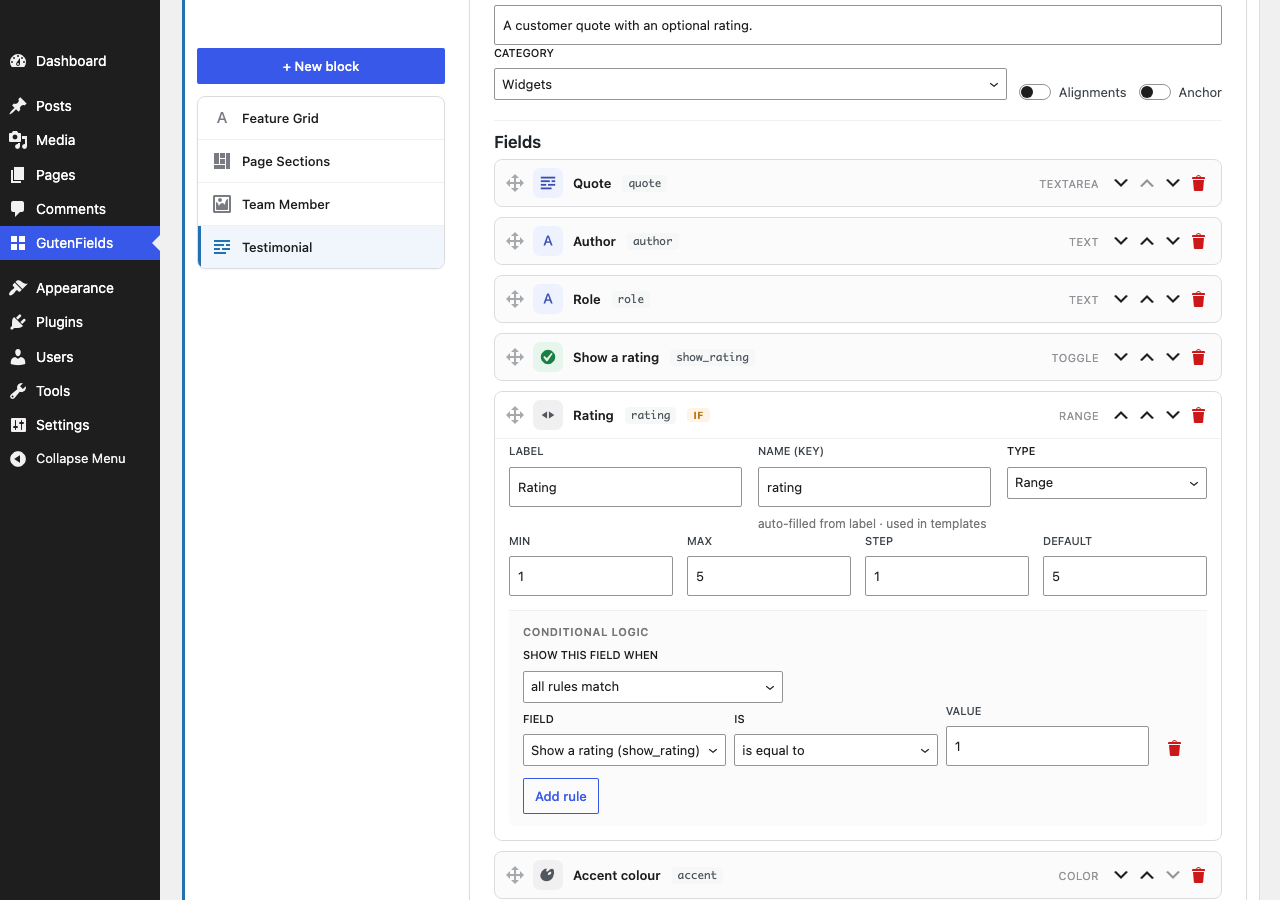
Call gutenfields_register_block() in PHP, or build the group visually in wp-admin. Both feed the same pipeline.
GutenFields calls register_block_type() with a shared render callback — a real dynamic block, in the inserter.
One generic editor reads the schema and maps each field to a native control from @wordpress/components. No per-block React.
The front end resolves to yourtheme/gutenfields/{slug}.php — ordinary PHP you fully control.
Field definitions live in a theme or mu-plugin, version-controlled, with no database rows. The right fit for a product you ship.
A field builder under the GutenFields menu — drag to reorder, auto-filled keys, per-type icons. Great for quick work and non-developers.
Graduate visually-built blocks into code. Hit Export PHP to generate a ready-to-paste gutenfields_register_block() call. And on a name conflict, the code version always wins.
Everything a field system needs to be useful in the block editor, and nothing that ties you to a build toolchain or a proprietary render layer.
Markup is a plain PHP file in your theme, resolved child-theme first. Helpers like gf_the_field() read the data; the HTML is yours.
Define blocks in PHP and ship them with your theme — no DB rows to migrate between environments, no export/import dance.
Show or hide any field based on a sibling's value — ==, contains, >, empty and more, combined all/any or gathered into nested groups for [A and B] or C. Inside a repeater, each row evaluates on its own.
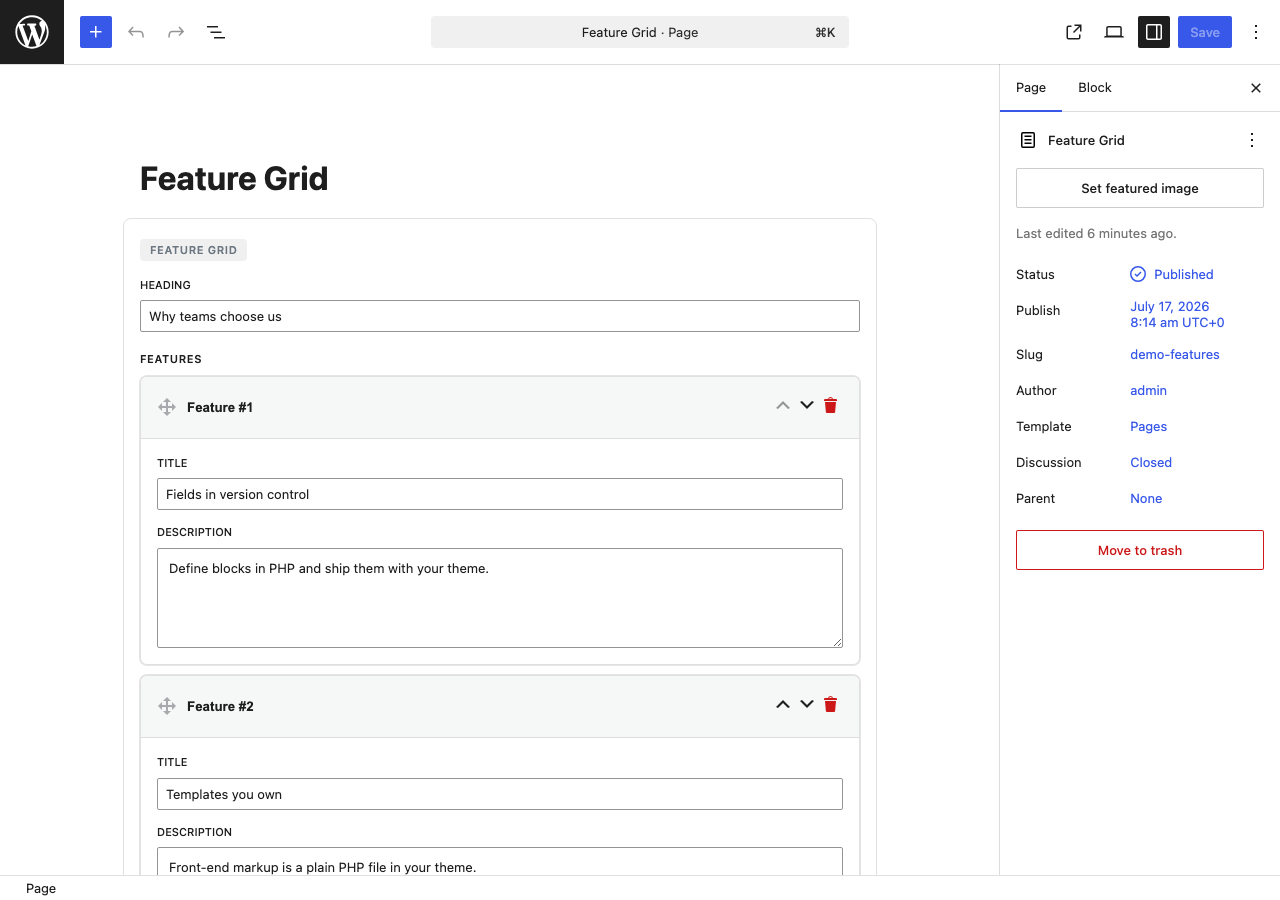
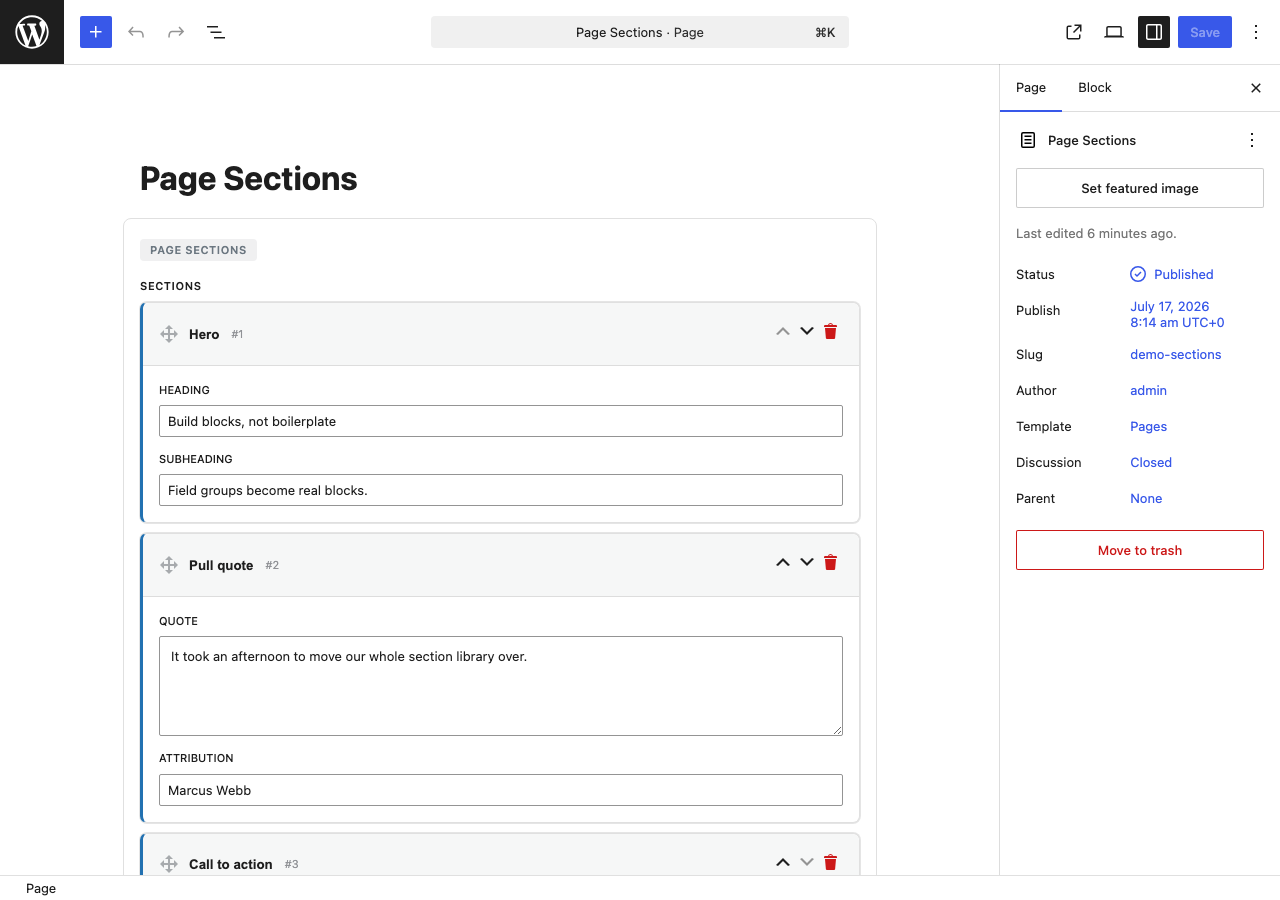
Repeat a set of subfields as rows, or let each row pick one of several named layouts, nesting up to five levels. Drag to reorder, with keyboard support.
Field groups that belong to the site rather than to a block — contact details, social links, a footer notice. Their own admin screen, the same field types, read anywhere in your theme with gf_option().
The editor bundle ships hand-written against the global wp.* objects. Activate the plugin and blocks work — the JSX source is there if you'd rather build it.
Rendering and editing make no external requests — only licence activation and update checks reach our server. Block data lives in post content as attributes, not scattered meta.
Each type resolves to a real control from the block editor, and comes with a template helper to read it back out. Grouped the way you'd actually think about them.
Templates resolve from your theme first, so a block's HTML is a normal PHP file — no shortcodes, no render props, no framework in between. A small set of helpers reads each field; everything around them is your own markup and classes.
gf_the_field()
gf_field()
gf_image()
gf_link_html()
gf_repeater()
gf_flexible()
gf_sub_field()
gf_posts()
<div <?php echo get_block_wrapper_attributes(); ?>> <blockquote> <?php gf_the_field( 'quote' ); ?> </blockquote> <cite> <?php gf_the_field( 'author' ); ?> </cite> <?php if ( $stars = gf_field( 'rating' ) ) : ?> <p class="stars"><?php echo str_repeat('★', $stars); ?></p> <?php endif; ?></div>No
The whole premise, in one lineblock.jsonper block. No React component per block. No build step.
The block canvas below is produced entirely from field definitions — no hand-written React component behind any of it.
block.json per blockOne registration pipeline handles every block. You describe fields, not block metadata files.
A single generic editor component maps your schema to native controls. You never write or maintain a component per block.
Ships with a prebuilt, no-transpile bundle. Upload, activate, done — a toolchain stays optional.
Content stays in your database as standard block markup. Deactivate the plugin and your data is still there, untouched.
wp.* objects, so it works the moment you activate it. The JSX source is included if you'd rather build it yourself with @wordpress/scripts. See a complete block built in two files.gutenfields_register_block() call, ready to paste into your theme. If a saved block and a code block share a name, the code version wins.block.json or React per block, no build step, and templates that resolve from your theme. It's config-as-code first, with a DB builder alongside. The conveniences you'd reach for are here — a gallery field, nested rule groups, containers nested several levels deep, and options pages. What's deliberately absent is ACF's field-group-to-post-type location rules: GutenFields attaches fields to blocks and to options pages, not to edit screens. The full comparison is here.The free edition is a finished plugin — the builder, 19 field types, conditional logic, templates and the CLI — and it costs nothing, ever. Pro adds repeaters, flexible content, galleries and options pages: buy a licence and the zip is waiting on your account, so upload it under Plugins → Add New, paste your key, and every version after that arrives on the Plugins screen on its own. There's no build step at either end, and no subscription at any tier.